Discover how automated reservation tracking workflows reduce booking errors by 40% and boost revenue by 18% for Canadian charter operators in 2026.
Reservation Tracking Workflow 2026: Cut Errors 40% & Boost Revenue
Manual reservation tracking drags down charter and private transportation operations. Misplaced bookings, double entries, and communication gaps frustrate customers and erode profits. Automated reservation tracking eliminates these pain points, reducing booking errors by up to 40% while streamlining operations and improving customer satisfaction. This guide walks you through preparing for automation, implementing tracking workflows, troubleshooting common issues, and measuring success so you can transform your operation in 2026.
Table of Contents
Prerequisites For Implementing Automated Reservation Tracking
Step-By-Step Implementation Guide
Common Mistakes And Troubleshooting Tips
Security And Data Privacy Considerations
Expanding Sales Channels And Connectivity Benefits
Measuring Implementation Success And Operational Outcomes
Transform Your Fleet Operations With GridOps Solutions
Frequently Asked Questions About Automated Reservation Tracking
Key Takeaways
Point | Details |
|---|---|
Prerequisites matter | Ensure API compatibility, PCI DSS compliance, and comprehensive staff training before starting implementation. |
Follow proven steps | Assessment, platform selection, integration, pilot testing, training, and go-live form the core sequence. |
Avoid common pitfalls | Poor training causes 30% of failures, while data sync issues create 20% of operational conflicts. |
Measure real outcomes | Automation cuts booking errors by 40%, boosts revenue by 18%, and reduces fleet idle time by 25%. |
Expand your reach | Multi-channel connectivity increases bookings and improves partner coordination for sustainable growth. |
Prerequisites for Implementing Automated Reservation Tracking
Before launching an automated reservation tracking workflow, you need foundational elements in place. Skipping these prerequisites causes delays and forces costly rework later.
Operators must have API-compatible reservation and dispatch systems for real-time data integration. Without API compatibility, your new platform can’t communicate with existing tools, forcing manual data entry and defeating automation’s purpose. Check if your current software supports API connections or if you need to upgrade before moving forward.
Payment security is non-negotiable. PCI DSS-compliant payment gateways protect customer credit card data and reduce fraud exposure. Using non-compliant systems opens your operation to data breaches, legal liability, and customer trust erosion. Verify that your payment processor meets current PCI DSS standards before processing any automated transactions.
Staff training determines implementation success or failure. Your team must understand new software features, workflows, and troubleshooting procedures. Plan for initial training sessions plus ongoing refresher courses as the platform evolves. Well-trained staff adapt faster and help customers navigate the new booking experience smoothly.
Reliable hardware and internet infrastructure keep systems running without interruptions. Slow connections or outdated computers create bottlenecks that frustrate users and undermine automation benefits. Audit your current technology stack and upgrade components that can’t handle real-time data processing demands.
Security protocols like role-based access controls and data encryption protect sensitive reservation information. Implement strict permissions so employees only access data necessary for their roles. Encryption safeguards customer details during transmission and storage, preventing unauthorized access even if systems are compromised.
Pro Tip: Document your current manual processes in detail before automation starts. This baseline helps you measure improvements accurately and identify specific pain points the new system must address.
Verify API compatibility with existing reservation and dispatch tools
Confirm PCI DSS compliance for all payment processing components
Schedule comprehensive staff training sessions before go-live
Upgrade hardware and internet connections to support real-time operations
Implement role-based access controls and encryption protocols
Step-by-Step Implementation Guide
Successful automation follows a logical sequence. Rushing or skipping steps creates gaps that surface later as operational problems.
Assess current workflows: Map every manual reservation step from initial customer contact through payment and dispatch. Identify where errors occur most frequently, which tasks consume the most time, and where customer complaints originate. This assessment reveals which automation features deliver the biggest impact.
Select the right platform: Choose SaaS solutions offering dynamic pricing, multi-channel connectivity, and best practices for implementation that match your operation size. Prioritize platforms built specifically for charter and private transportation rather than generic booking tools. Evaluate vendor support quality, update frequency, and customer references from similar operators.
Integrate with existing systems: Connect your chosen platform to your website, payment gateway, dispatch software, and partner systems through API integrations. Work closely with vendors to ensure data flows correctly in both directions. Test each integration thoroughly before moving to the next.
Run pilot tests: Process live reservations through the automated system while maintaining your manual backup temporarily. Typical implementation timelines range from 8 to 12 weeks with proper planning and training. Monitor for glitches, collect staff feedback, and refine workflows based on real-world usage.
Train thoroughly: Conduct hands-on training sessions covering every feature staff will use daily. Create quick reference guides and video tutorials for common tasks. Designate super users who can help colleagues troubleshoot minor issues without vendor support.
Go live and monitor: Switch fully to the automated system once pilot testing confirms stability. Monitor performance metrics daily during the first weeks, addressing issues immediately. Schedule regular check-ins with staff to identify pain points and optimization opportunities.
Pro Tip: Build buffer time into your implementation schedule. Unexpected integration challenges or staff learning curves often extend timelines beyond initial estimates.
Implementation Phase | Duration | Key Activities |
|---|---|---|
Assessment | 1-2 weeks | Map workflows, identify pain points, document requirements |
Platform Selection | 2-3 weeks | Evaluate vendors, check references, negotiate contracts |
Integration | 3-4 weeks | Connect APIs, test data flows, configure settings |
Pilot Testing | 2-3 weeks | Process live bookings, gather feedback, refine processes |
Training | 1-2 weeks | Conduct sessions, create guides, designate super users |
Go-Live & Monitoring | Ongoing | Switch systems, track metrics, optimize continuously |
Common Mistakes and Troubleshooting Tips
Even well-planned implementations hit obstacles. Recognizing common mistakes helps you avoid them or respond quickly when they occur.
Insufficient training derails many automation projects. About 30% of SaaS implementation failures result from insufficient staff training. Staff who don’t understand the system revert to manual methods or make errors that undermine automation benefits. Schedule ongoing training sessions rather than one-time orientations. Update training materials whenever the platform adds features or changes workflows.
Data synchronization failures between reservation and dispatch systems cause operational chaos. Failure to keep reservation and dispatch data synchronized causes 20% of operational conflicts and delays. Drivers show up at wrong locations, passengers wait for vehicles that never arrive, and customer satisfaction plummets. Configure real-time sync between all connected systems and monitor sync logs daily to catch failures immediately.
Ignoring security compliance increases fraud and data breach risks dramatically. Using PCI DSS-compliant payment systems reduces fraud risks by over 50%. Non-compliant systems attract cybercriminals and expose your operation to regulatory penalties. Conduct regular security audits and update protocols as threats evolve.
Over-customizing software creates maintenance nightmares. Excessive customization makes platform updates difficult or impossible, leaving you stuck on outdated versions. Work within standard features whenever possible, reserving customization only for truly unique business requirements.
Pro Tip: Create a troubleshooting checklist for common issues like sync failures or payment processing errors. Empower front-line staff to resolve simple problems without escalating to IT support.
Schedule regular training refreshers rather than one-time sessions
Monitor data sync logs daily to catch failures immediately
Conduct quarterly security audits and update protocols proactively
Minimize customization to maintain upgrade flexibility
Document solutions to recurring problems for faster resolution
Issue | Impact | Solution |
|---|---|---|
Poor training | Staff errors, low adoption, manual workarounds | Ongoing sessions, video guides, super user program |
Data desync | Dispatch conflicts, customer complaints, wasted trips | Real-time sync monitoring, automated alerts |
Security gaps | Fraud, data breaches, regulatory penalties | PCI DSS compliance, regular audits, staff awareness |
Over-customization | Difficult updates, vendor lock-in, high costs | Use standard features, limit custom development |
Find troubleshooting common issues guidance in dedicated resources.
Security and Data Privacy Considerations
Automated reservation systems handle sensitive customer information and payment data. Strong security practices protect your operation and build customer trust.
Implement PCI DSS standards for all payment processing activities. These standards outline specific technical and operational requirements for handling credit card data securely. Work with payment processors who maintain PCI DSS certification and conduct regular compliance audits. Non-compliance exposes you to fraud, penalties, and reputational damage that can cripple your business.
Use end-to-end encryption for reservation data transmission and storage. Encryption converts readable data into coded format that requires decryption keys to access. Even if attackers intercept encrypted data, they can’t read it without the keys. Apply encryption to data moving between systems and data stored in databases.
Maintain strict access controls limiting who can view or modify reservation information. Implement role-based permissions so reservation agents can’t access financial reports and accountants can’t modify booking details. Generate detailed audit logs tracking who accessed what data and when. These logs help identify security breaches quickly and provide accountability.
Regularly update and patch all software components. Security vulnerabilities emerge constantly as attackers discover new exploits. Software vendors release patches to close these vulnerabilities, but patches only work if you apply them promptly. Schedule automatic updates where possible and monitor vendor security bulletins for critical patches requiring immediate action.
Train staff on security best practices and privacy regulations applicable in Canada. Employees represent your biggest security vulnerability when they fall for phishing attacks, reuse passwords, or mishandle customer data. Conduct security awareness training covering common threats, proper data handling procedures, and how to report suspicious activity.
Pro Tip: Implement two-factor authentication for all system access. This extra security layer significantly reduces unauthorized access even if passwords are compromised.
Apply PCI DSS standards across all payment processing
Encrypt reservation data during transmission and storage
Use role-based access controls with detailed audit logging
Schedule automatic software updates and monitor security bulletins
Train staff quarterly on security threats and proper data handling
Review data privacy and security guidelines to understand your compliance obligations.
Expanding Sales Channels and Connectivity Benefits
Automated reservation tracking becomes even more powerful when integrated with external sales channels and partners. These connections multiply your booking opportunities and improve operational coordination.
Connect with resellers, hotels, and travel partners through your reservation platform to access their customer bases. Multi-channel reservation connectivity lets partners book directly into your system without phone calls or emails. This seamless integration reduces booking friction and captures reservations you might otherwise miss.
Multi-channel sales can increase revenue by up to 15% by reaching customers through diverse touchpoints. A hotel concierge books airport transfers for guests, a tour operator reserves coaches for group excursions, and corporate clients schedule regular shuttle services, all flowing automatically into your dispatch system. Each channel adds incremental revenue without proportional cost increases.
Automated reservation updates ensure partners have accurate, real-time availability information. Partners see which vehicles are available, current pricing, and instant booking confirmation. This transparency builds partner confidence and reduces the back-and-forth communications that slow manual processes.
Enterprise-grade connectivity supports scalability as your fleet and partner network grow. Robust platforms handle thousands of simultaneous bookings across multiple channels without performance degradation. You can add new partners, vehicles, and routes without worrying about system limitations.
Leverage integrated analytics from all channels to optimize operations and pricing. Unified reporting shows which partners generate the most profitable bookings, which routes see highest demand, and where pricing adjustments could improve margins. Data-driven decisions replace guesswork, helping you allocate resources more effectively.
Connect directly with resellers, hotels, and tour operators
Capture incremental bookings through diverse sales channels
Provide partners with real-time availability and instant confirmations
Scale operations smoothly as your business grows
Use unified analytics to optimize pricing and resource allocation
Measuring Implementation Success and Operational Outcomes
Quantifiable metrics prove whether automation delivers promised benefits and justify continued investment. Track specific KPIs before and after implementation to measure impact accurately.
Monitor booking error rates as your primary quality indicator. Calculate the percentage of reservations requiring manual correction due to incorrect details, double bookings, or system glitches. Automation reduces booking errors by up to 40%, directly improving customer satisfaction and reducing costly operational corrections. Compare error rates monthly to spot trends and identify remaining improvement opportunities.

Track revenue growth attributable to dynamic pricing and improved booking management. Dynamic pricing adjusts rates based on demand, vehicle availability, and market conditions, capturing maximum value from each reservation. Improved booking management reduces missed reservations and overbooking penalties. Studies show operators achieve approximately 18% revenue increases after implementing comprehensive automation.
Measure fleet idle time and utilization improvements to optimize asset allocation. Idle vehicles generate no revenue while incurring maintenance and depreciation costs. Automated dispatch and reservation coordination reduce gaps between trips, keeping vehicles productive. Target 25% reduction in idle time as a realistic benchmark after full implementation.
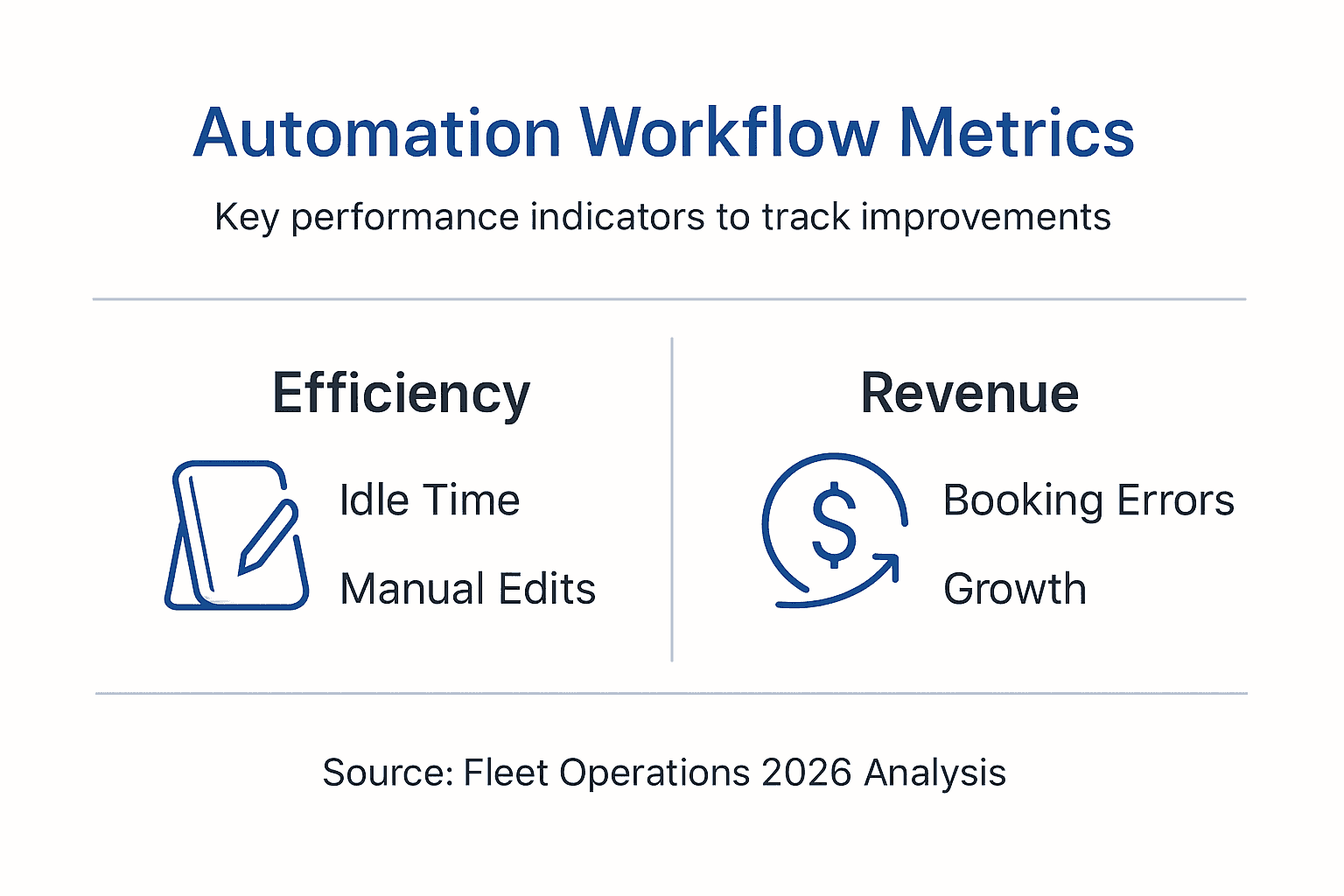
Use these KPIs to continuously refine operations and demonstrate clear ROI to stakeholders. Regular reporting keeps teams focused on improvement and builds confidence in the automation investment.
Metric | Pre-Automation Baseline | Post-Automation Target | Measurement Method |
|---|---|---|---|
Booking Error Rate | Varies by operator | 40% reduction | Monthly audit of corrections needed |
Revenue Growth | Current monthly revenue | 18% increase | Year-over-year comparison |
Fleet Idle Time | Hours per vehicle/day | 25% reduction | Dispatch log analysis |
Customer Satisfaction | Survey scores | 15-20% improvement | Post-trip surveys |
Explore measuring ROI and success metrics approaches applicable across service industries.
Transform Your Fleet Operations with GridOps Solutions
You’ve learned how automated reservation tracking eliminates errors, boosts revenue, and streamlines operations. Now it’s time to implement these benefits in your own fleet.

GridOps offers tailored SaaS solutions specifically for Canadian charter and private transport operators facing the challenges outlined in this guide. Our platform integrates dynamic pricing, multi-channel connectivity, and seamless dispatch coordination in one system. You gain instant automated quotes, real-time reservation tracking, and enterprise-grade connections to major resellers and partners. Built in Alberta, GridOps understands the unique needs of Canadian operators and provides expert support throughout implementation and beyond. Learn more about reservation tracking automation or explore how to maximize your fleet efficiency with proven strategies. Visit our blog to understand fleet management essentials and discover operator success stories.
Frequently Asked Questions about Automated Reservation Tracking
What is the typical cost of implementing automated reservation tracking?
Implementation costs vary based on fleet size, integration complexity, and platform selection. Most SaaS solutions use monthly subscription pricing ranging from $200 to $1,000 per month depending on features and vehicle count. Initial setup fees for integration and training typically add $2,000 to $5,000 as a one-time investment.
How does dynamic pricing work within these SaaS platforms?
Dynamic pricing algorithms adjust rates automatically based on demand levels, vehicle availability, booking lead time, and competitive market rates. The system analyzes historical data and current conditions to suggest optimal pricing that maximizes revenue while maintaining competitive positioning. You set pricing rules and boundaries while the platform handles real-time adjustments.
What ongoing support is needed after initial go-live?
Plan for regular software updates, periodic staff training refreshers, and occasional integration maintenance as your business evolves. Most vendors provide tiered support options including email, phone, and live chat assistance. Budget approximately 10-15% of annual subscription costs for ongoing support and optimization consulting.
Can small operators benefit from automation despite limited tech staff?
Absolutely. Modern SaaS platforms are designed for ease of use without requiring dedicated IT departments. Cloud-based systems handle technical infrastructure while vendors provide setup assistance and training. Small operators often see proportionally larger benefits because automation eliminates time-consuming manual processes that strain limited staff resources.
How does automated tracking improve customer experience?
Customers receive instant booking confirmations, accurate pricing quotes, and real-time trip updates without phone tag or delayed responses. The transparency and speed build confidence while reducing booking friction. Fewer errors mean customers experience smooth, reliable service that encourages repeat bookings and positive referrals.
Recommended